[Beta] Flow Engine - A visual drag and drop rules engine

,

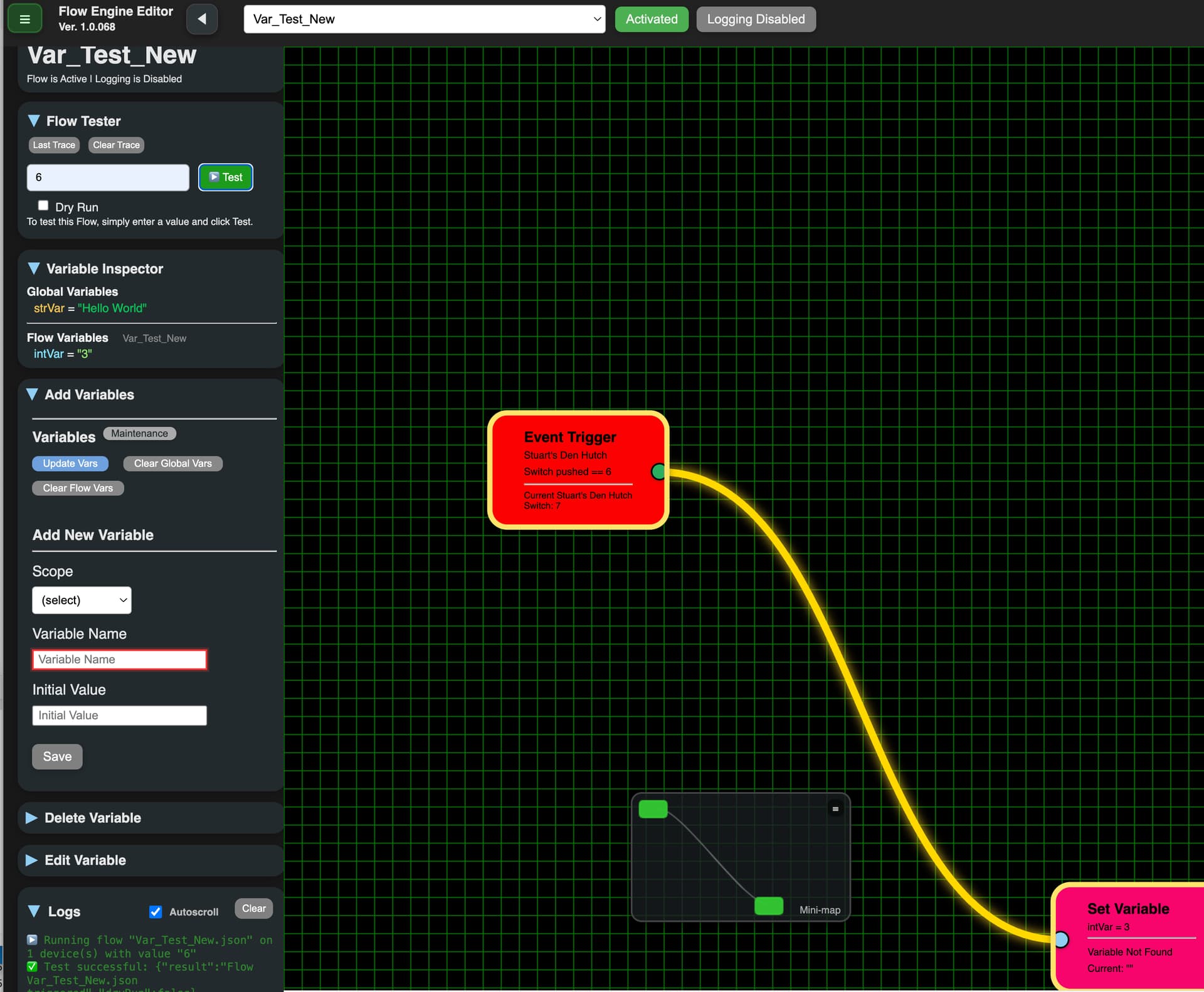
1.0.068. So let's start with the good news, when I ran my test flow the Set Variable node did update it to the right value. Yea!

Not so great news: When I opened the flow I couldn't find my nodes. I scrolled left, right, up, down but they were no where in sight. I asked my friends about them but all their lips were tight. (If you get that reference you are probably at least in your mid-60s ;->). I clicked the mini-map and they appeared, albeit in the lower right, not where I had left them. But then I couldn't drag them properly. Hard to describe but I did take a screen shot of the one stuck in the lower corner. Sometimes I could move it, sometimes not, and when I could move it, it couldn't be in a straight line, and same for other node.

Also, when I opened this flow, my Flow scope var, intVar, was gone. I recreated, and as I said above, it did update, but the Set Variable node portion under the line still says it isn't found.

Screenshots:
Where or where have my little nodes gone? Oh where or where could they be?
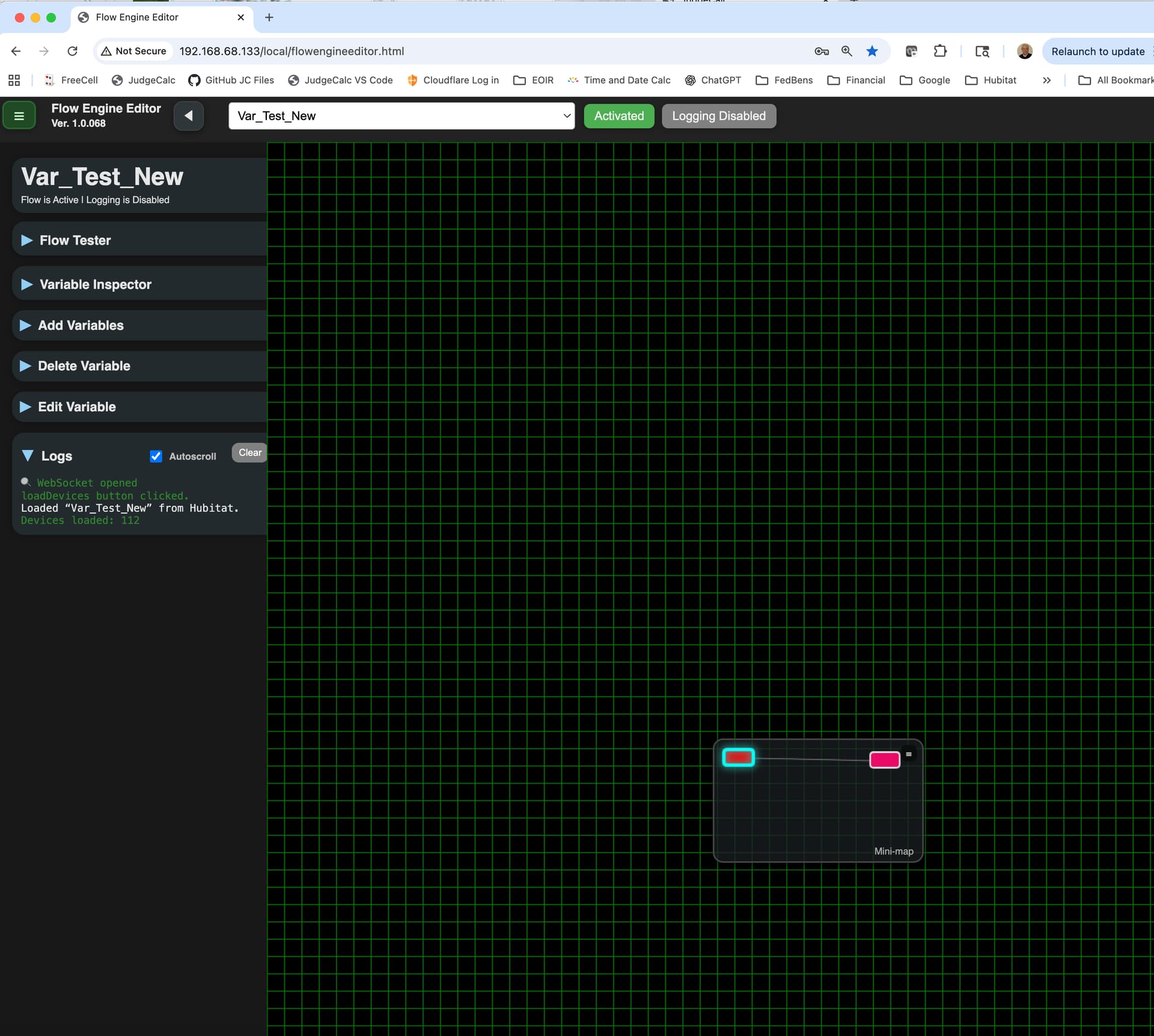
I know there is a lot of work going on with the mini-map, but when they first appeared at the lower right, in the mini-map it looks like they are in the upper left:
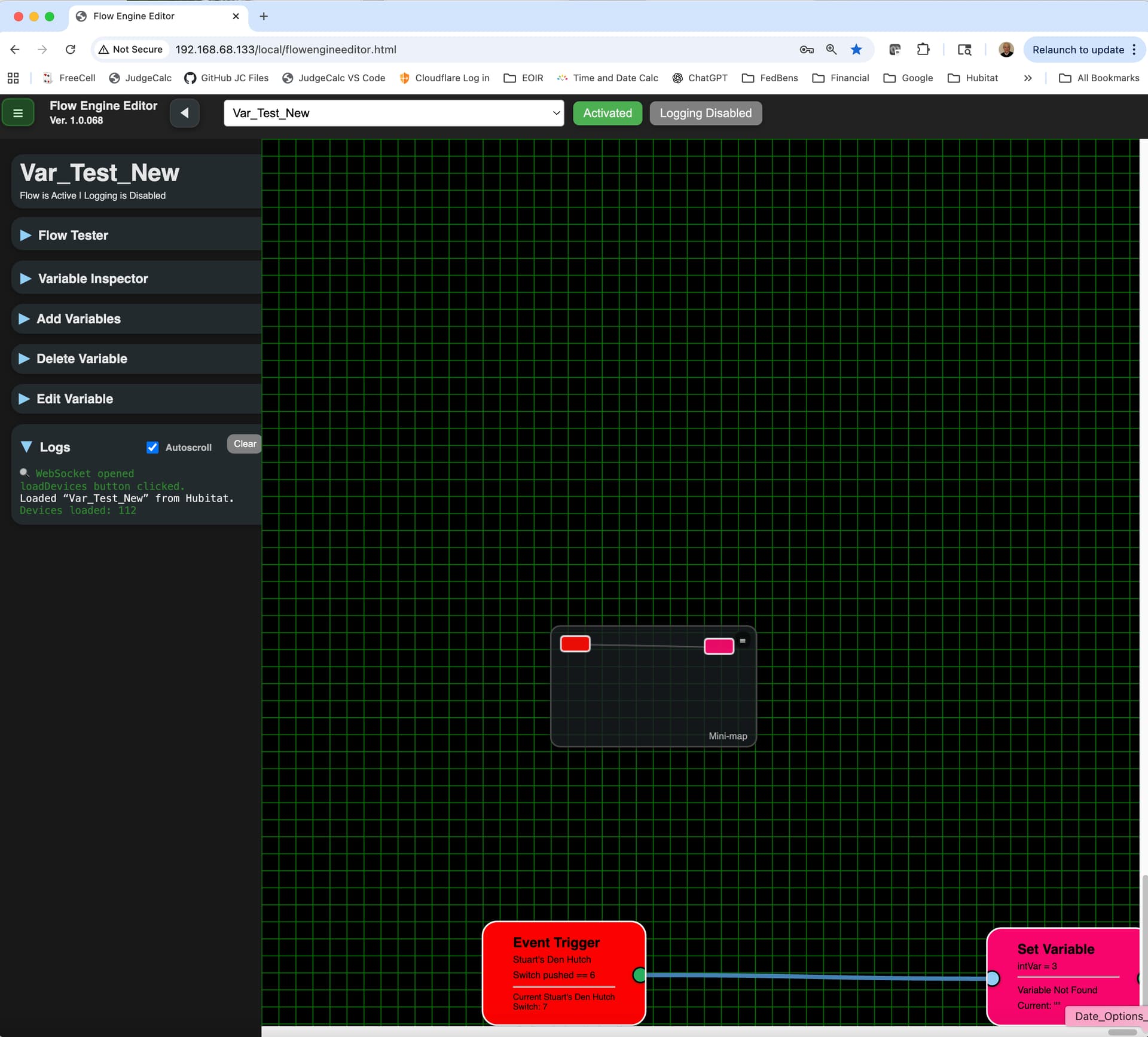
Obviously, they went to funky town because I couldn't move them normally. Are they FUI? Flowing under the influence? Bobbing and weaving. Couldn't make them line up straight.
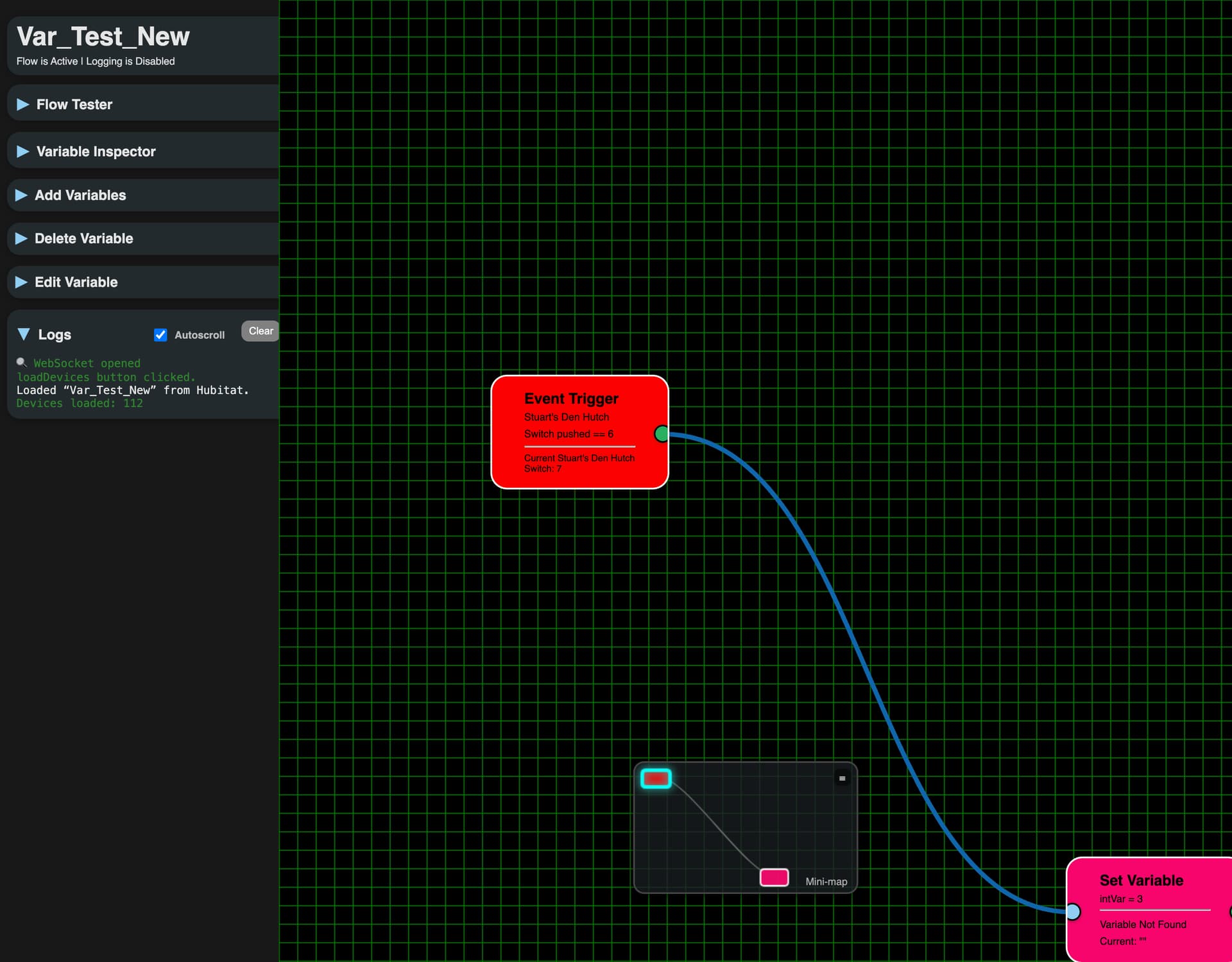
Here my intVar is gone. Lost in space.
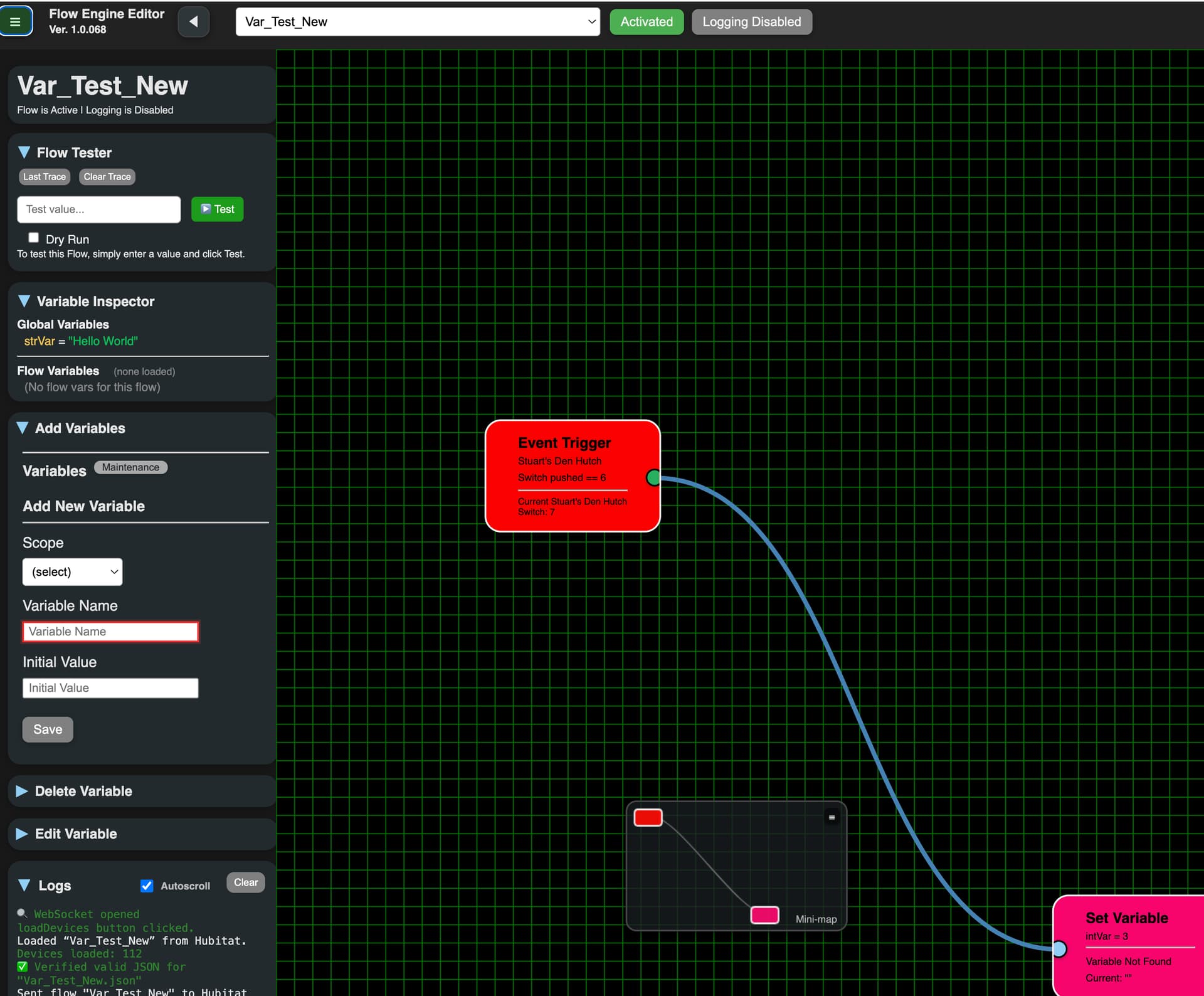
Here I recreated it with a value of "1" but the Set Variable node still says it can't be found
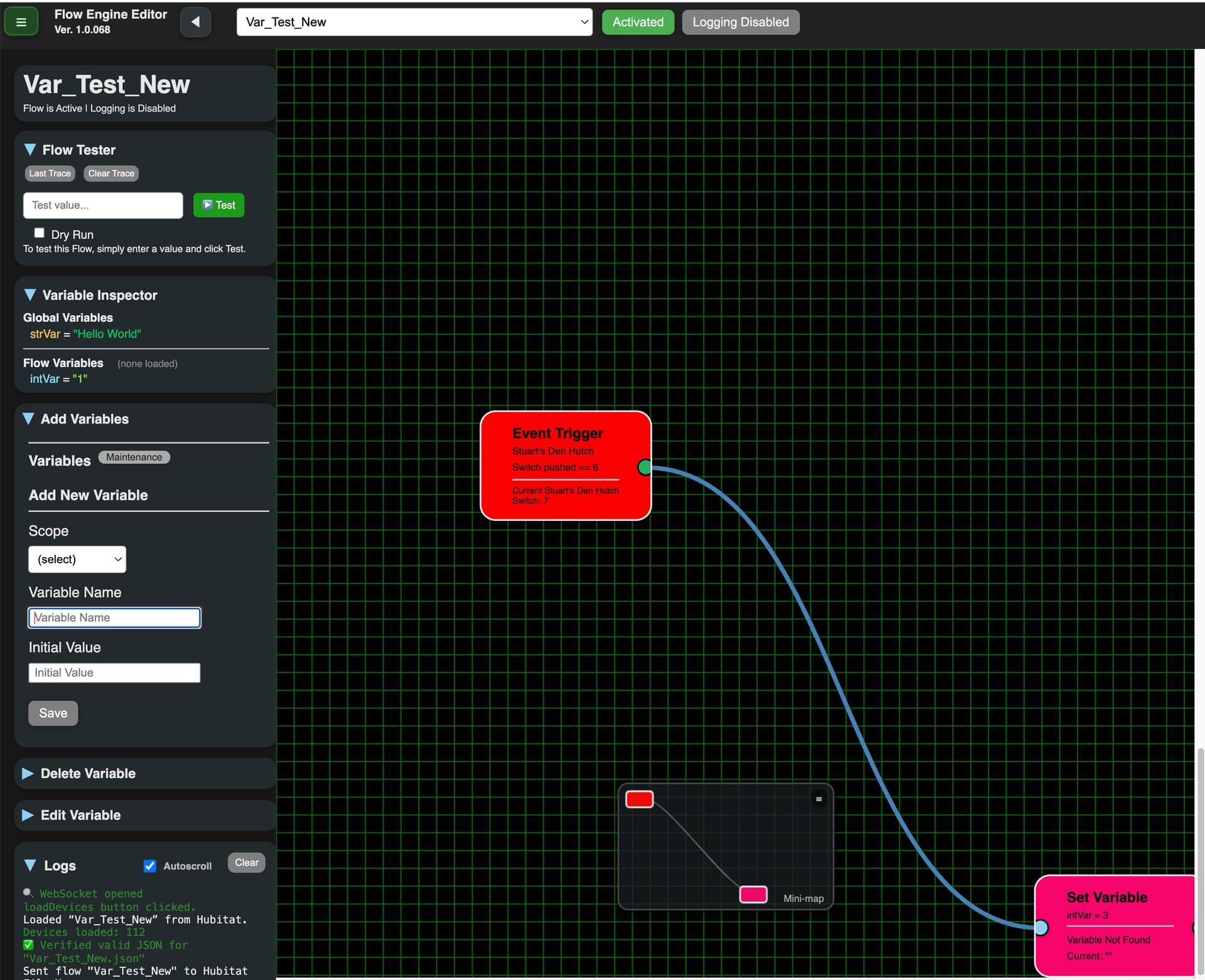
Got a yellow trace. Does that mean it passed? Just IMHO, but I would like it to be green like "go" on a traffic light. Yellow could be some issue and Red if it failed. But, the test ran and did change it to 3.
Ver. 1.0.069 - 'Repair'

  • More work to load flows where you left them. Works better but still needs work. Need to open flow and then leave flow at some point for the new fix to take effect
  • Mini-map can only be dragged using the little handle now
  • Clicking on a node in the mini-map will bring the focus over to that node

@Stu_The_K - something definitely went wrong with your 'repair'. Hopefully this one goes better.

A yellow banner is asking me to enter the App ID and token, but it's unclear where those dialogue boxes have moved to in the updated UI.

That's weird, since you've already been using the Editor but they are in the Hamburger menu - then at the bottom of the menu. I'll look into it.

Thanks

1 Like

Glad you pointed that out, because not only were these text boxes off-screen for me (saw them after mashing CTRL-minus a couple of times to enshrinken everything in Chrome for Windows 10), they were mysteriously empty as well.

New version 1.0.070 - 'Repair'

  • Reworded the 'yellow bar' dropdown
  • Anytime the appid or token are updated the Editor reloads the variables, devices and flows
  • Added a :white_check_mark:/:x:to each Flow in the Flow Dropdown, giving a visual on which flows are active/deactivated
  • New little yellow mark in the top left corner of the Mini-map is a shortcut to 'Dock' a flow
  • Other cosmetic changes
1 Like

With Rev.70 you've taken FE to new heights, so anything I propose from here on out is bound to sound niggling, but here goes:
Any chance the ATTRIBUTE drop-down picker could interleave CAPS and lowercase so everything is listed alphabetically? Right now, for example, RGB comes before all the others, like color.

1 Like

Ver. 1.0.0.71 - 'Repair'

  • Attribute now lists everything Alphabetically regardless of case.
  • Added a Search bar to Flow Dropdown.

:upside_down_face:

1 Like

Noticing a few inconsistencies with dragging, aligning and removing Nodes:

  • Select a group of (optionally) connected Nodes. First drag works as expected, but after releasing mouse and clicking second time (on any Node in group), only that node moves. (Note: Visually, the last N-1 of the Nodes still appear selected.)
  • Select any two Nodes using Click followed by ctrl-Click, as usual. Clicking hamburger > Alignment > (any) results in no change.
  • Select any three Nodes. Clicking hamburger > Alignment > (any) results in 2nd and final selected node aligning, but first selected node remains unchanged, even though it is visually still selected.
  • Dragging any set of 3 or more Nodes across grid steadily changes the relative position among all nodes. While strictly cosmetic, this effect will upset whatever configuration or alignment user may have hoped to preserve.
  • Once selected as part of a group, a node cannot be deselected without clicking away from the group and starting over. Moreover, attempting to deselect by ctrl-Clicking the initial node results in it staying (visually) selected, and its border becomes thicker.
  • Certain nodes seem to require multiple attempts to Delete (specifically when pressing the DELETE key on the keyboard, rather than right-clicking and choose DELETE). Sometimes a single keypress does it; other times it takes up to 5 or more attempts. Cannot find a pattern to this behavior, sorry.

Working in Chrome under Win10.

New version 1.0.0.72 - 'Repair'

  • reworked node selection/move
  • added cool floating toolbar when multi-nodes are selected
1 Like

Intriguingly, now when I select a trio of Nodes (call them A, B, C in that order) for the purpose of moving them around on the canvas, the following happens depending on which node I click to drag:

  • Clicking C mostly drags all three around, but sometimes only B and C;
  • Clicking B drags only B and C;
  • Clicking A drags only A;
  • Clicking C sometimes drags B, and vice versa (about 5% of the time).
    All three nodes remain selected, however, and even with repeated movement, the nodes' relative position remains fixed, which is nice.

EDIT 1: More precisely, whichever node I click immediately after dragging A will cause all 3 nodes to move around. In this way, even revisiting A in succession cycles through A moving by itself vs taking the group with it.

EDIT 2: I now see why the ALIGNMENT attempts are failing. After selecting a pair of nodes to align, before I can return to the hamburger menu, one of the nodes (the first?) deselects itself. Fairly repeatable.

EDIT 3: Think I found a pattern to the deselection observed above... it won't happen if I CTRL-click on every node instead of click > ctrl-click > ctrl-click. By taking care to hold the CTRL key for every select, I can ensure the node(s) will remain selected, which lets ALIGNMENT work as expected.

1 Like

It’s been over a month with no new posts. Is project on hold? If so, related to new AI Beta? Just stuck on some issue?

Any insight you can give us?

Nothing to report here, everything is running just fine.

2 Likes

When did Bryan ever stop.... :slight_smile:

4 Likes

I know I was having issues moving things around and I saw @xabvib57905 reported issues as well in post 591 on Sept 24, and then I never saw there was any update. I just went into the latest version I have, 1.0.072, and I'm still having issues moving the nodes around. Has that been fixed? What is the current version as I just did a repair and I'm still on 1.0.072 and still have major issues trying to move nodes around.

I know the drag and drop can be a pain, but I wouldn't call it 'major'. Always remember... I do this for free, when I can. Right now other things have been pulling me away. It'll get better but I'm in no rush.

5 Likes

I can't move them at all like we used to. I wish I could post a video.