Problem with consensus is that everyone's setup and environment is different. What works great in one home may be crap in another. Also someone may have a bad experience in their setup and think their problems are a certain device but may just be a saturated mesh or something.
3 Likes
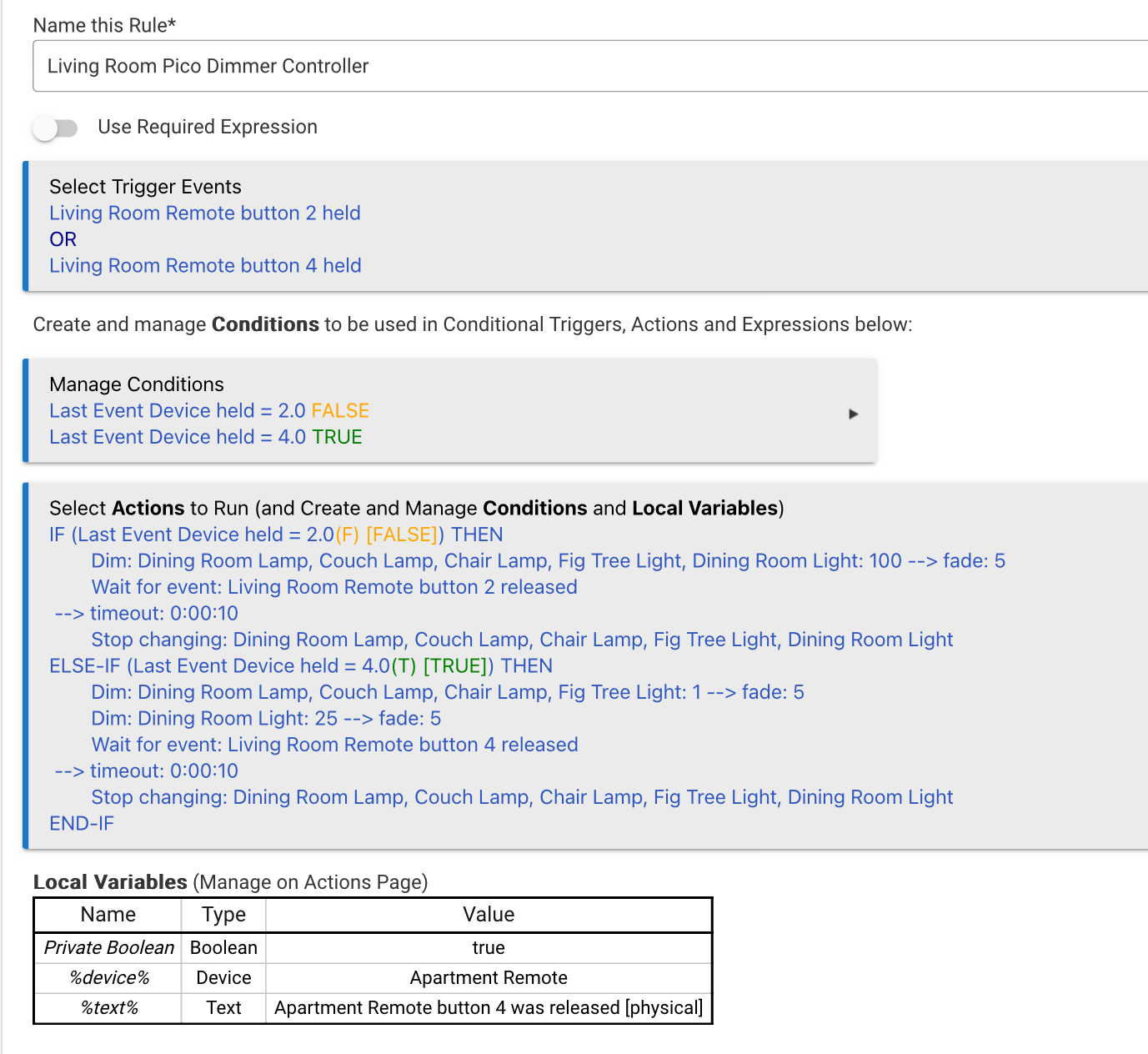
For anyone who stumbles across this in the future looking for a solution to use their Lutron Pico remotes to adjust Hue Bulbs (or other dimmer switch) levels up and down, this is what I did. A few notes;
- The 2 button is the up arrow on a Pico remote, and 4 is the down arrow
- I first tried to use “Start Level Change” and “Stop Level Change,” but I have some older Hue bulbs that don’t appear to work with this command, even though it shows up on the device page/driver. (All my Hue bulbs are paired directly to Hubitat with no Hue bridge)
- This prevents the bulbs from turning off completely when dimming down because the minimum level is set to 1. (Note that the Dining room light has its own command on the “lower” side because it’s a standard dimmable bulb on a regular smart dimmer and it starts to flicker below this level and shuts off completely at around 10%)
- You could have an undesirable affect by combining multiple bulbs as I have done here, because if the bulbs are at drastically different levels, the fade will be much slower on the ones that are closer to the target level. You could fix this by recording the level of each bulb at the time of trigger in local variables, calculating the fade duration based on the difference between the current and desired level, and store that in another variable to be applied to individual dim commands for each bulb. This hasn’t resulted in any noticeably weird dimming behavior for me, so I didn’t bother building this in (but if I do for lolz, I’ll post the logic).
1 Like

