Two ways you can debug. Go into Control Panel, click Task Scheduler and hIghlight the task.
First method, click on Action, then view result. The output of the script is in the "Standard output/error" box. Unfortunately the dialog isn't resizable.
Second method, highlight the task and click on Settings. You should see this:
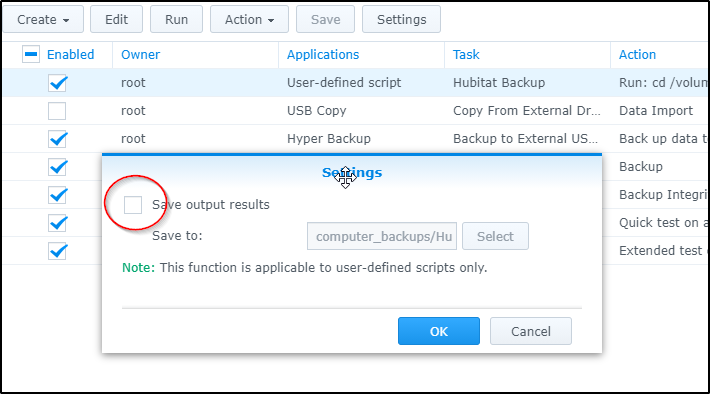
Check Save output results and specify a folder. A folder named "synoscheduler" will be created in the specified folder. Drill down a few folders and you'll find output.log and script.log files for each run of the task. This should show you the commands that are being executed and whatever is going wrong. You can open the .log file in any text editor but you may have to copy it to your local machine.
You can also run the script commands interactively if you log into your NAS using SSH. Putty is a good tool for this. If you use this, make sure you log in as root so you are running your commands in the same context as the Task Scheduled does (assuming you left the User field set to root in the task settings (on the General tab). If you log into the NAS using your normal credentials, you can gain root access by typing su in the command window and then entering the root password.